
How to pay in Korea as a tourist comes down to a foreign card as your base, plus a little cash and one transit card. WOWPASS suits people whose cards charge high foreign fees or who need cash, and Mobile T-money saves iPhone users hassle on transit. Kakao Pay and Naver Pay, on the other hand, aren’t open to short-stay foreign visitors.
This guide compares the payment options foreigners can use in Korea, based on WOWPASS’s official guidance, Seoul city announcements and news reports. Everything was checked on October 12, 2026. It’s the payment chapter of our [guide to Korea apps that work without a Korean phone number](internal link: hub post).

The Short Answer: How to Pay in Korea as a Tourist, at a Glance
| Option | Where it works | Upside | Watch out for |
|---|---|---|---|
| Foreign card | Most in-person shops | Simplest, automatic exchange rate | Declines, foreign transaction fees |
| WOWPASS | In-person shops that take cards | Exchange, payment and T-money on one card | No online payments, sign-up fee |
| Mobile T-money (iPhone) | Subway, bus, taxi | Easy top-ups | Reported no Visa support, transit only |
| Cash | Street stalls, small shops | Works everywhere | Exchange and withdrawal fees |
| Kakao Pay / Naver Pay | – | – | Short-stay foreign accounts not supported |
Foreign Cards: Your Base Option, but Don’t Rely on Just One
Most Shops Accept Them, but Some Decline
Most Korean shops accept foreign cards such as Visa and Mastercard. However, a JoongAng Daily article from April this year reported travelers whose foreign cards were declined or who ran into cash-only places. A review analysis it cited put payment methods at 11.5% of Korea-related complaints.
So bring at least two cards. Two different brands, such as one Visa and one Mastercard, are safer than two of the same brand.
Seoul’s Subway Takes Foreign Cards
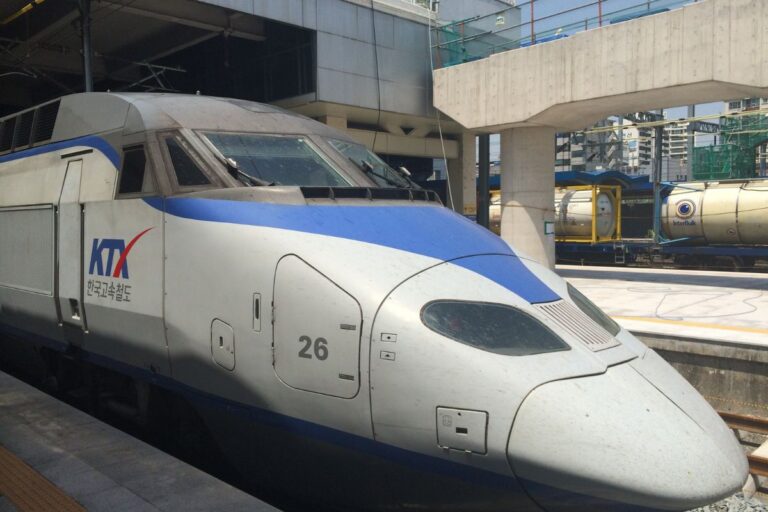
According to Seoul’s official announcement, since March 17 this year you can buy tickets with foreign Visa and Mastercard cards at 440 machines in 273 stations on Lines 1 to 8. The fee averages 3.7%. For details, see our [Seoul subway foreign card guide](internal link).
What to Check About Your Card
- Foreign transaction fee: it varies by card. Ask your issuer before you leave.
- Overseas approval: a card can get blocked the first time it’s used in Korea, so notify your issuer in advance.
- Billing currency: if the terminal offers to charge you in your home currency, check the exchange rate and fee on screen. Which option is cheaper depends on your issuer.
WOWPASS: A Prepaid Card Made for Foreign Visitors
What It Is
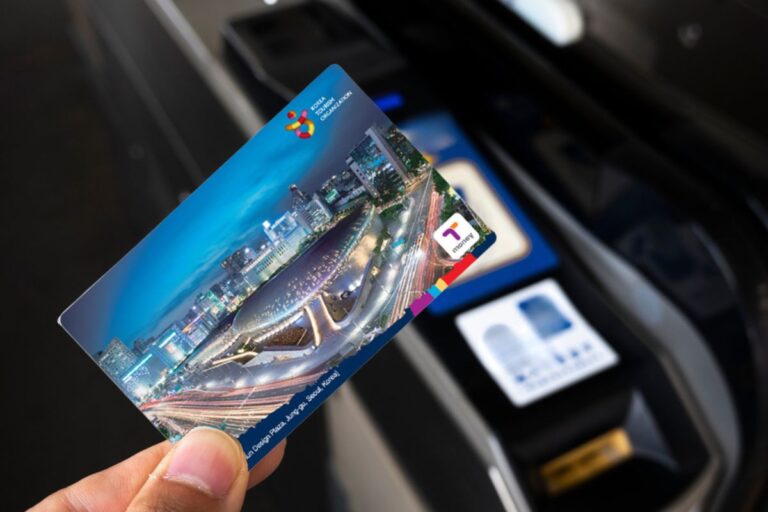
WOWPASS is a prepaid card for foreigners visiting Korea. According to its official guidance, you get one from machines at places such as Incheon Airport Terminals 1 and 2, Gimpo Airport Station, Seoul Station, Hongik Univ. Station and Myeongdong. There’s a ₩5,000 sign-up fee the first time. Currency exchange, top-ups and payments are listed as free of fees, and there’s no annual fee.
In the app you can see your balance in your home currency and get notifications for each use. If you lose the card, you can freeze it in the app, and a replacement is described as letting you use the old balance again. Some brands offer cashback or coupons.
Where It Works and Where It Doesn’t
- In-person card payments work. It’s described as usable anywhere in Korea that accepts cards.
- Online payments and mobile wallets don’t work. You can’t use it for delivery apps or online shopping.
- It has a T-money function, but you can’t move the card balance into T-money. You top up T-money separately with cash at a convenience store or subway machine.
When You Need Cash
At a WOWPASS exchange machine you can withdraw Korean won in cash. The limit is ₩100,000 or less per withdrawal with a ₩1,000 fee, and you need the 8-digit code from the app. Small bills aren’t supported. The top-up limit is ₩1,000,000 per time and ₩2,000,000 per day.
What About Refunds?
I couldn’t find the refund rules on the official guidance page. Check the app or customer service before you buy to see how a leftover balance is returned.
Is the ₩5,000 WOWPASS Fee Worth It? A Break-Even Calculation
WOWPASS charges ₩5,000 to sign up and no usage fee. A foreign card, on the other hand, adds the foreign transaction fee set by your issuer. I couldn’t confirm any difference in exchange rates between the two, so the table below is a fees-only assumption.
| Your card’s foreign fee (assumed) | Spending needed to break even on ₩5,000 |
|---|---|
| 1% | about ₩500,000 |
| 2% | about ₩250,000 |
| 3% | about ₩167,000 |
The formula is ₩5,000 ÷ your card’s fee rate. For example, spending ₩250,000 on a card with a 2% fee costs ₩5,000 in fees. Spend less than that and the foreign card wins. Spend more and WOWPASS may come out ahead.
In real life the exchange rate matters too. Use the app’s rate calculator to see the current rate and compare it with your card issuer’s. I haven’t been able to run that comparison myself at the time of writing.
Mobile T-money: The Transit Choice for iPhone Users
Since March 18, Mobile T-money for iPhone has had a “Foreigner” button. Without logging in, you can top up with a foreign card and add a transit card to Apple Wallet to ride the subway and buses.
JoongAng Daily reported that Mastercard, American Express and UnionPay work, but Visa did not at the time of reporting. I couldn’t confirm whether that has changed, so go as far as the card registration step in the app to test yours. For Android, topping up with Mastercard through the KOREA TOUR CARD app has been described.
Why Don’t Kakao Pay and Naver Pay Work?
According to JoongAng Daily, neither service supports short-stay foreign visitor accounts, and no expansion plans were reported. Kakao Pay is said to accept only cards issued in Korea, and Naver Pay is described as allowing direct payment only with UnionPay.
That said, Naver began passport verification on June 4 this year. Once you complete it, you can use reservations, orders and payments in Naver Map. I found no confirmed information on whether foreign cards work for those payments. We cover it in the next post, our [Naver Map passport verification guide](internal link).
Where and How to Get Cash
Even a Little Is a Must
Street stalls, small shops and some markets don’t take cards. Plan to carry a few thousand to a few tens of thousands of won a day.
Three Ways
- ATM withdrawal: pick a machine marked “Global ATM” or one that lists foreign-issued cards. Check that the machine shows the same marks as your card, such as Visa/Plus or Mastercard/Cirrus. One guide says the machine operator’s fee and your issuer’s foreign withdrawal fee can be charged separately. Check with your issuer that overseas withdrawals are turned on.
- WOWPASS machine: as described above.
- Currency exchange: at the airport or places like Myeongdong. Rates differ from shop to shop, so compare a few.
If an ATM declines your card, don’t repeat the same attempt. Try once more with a lower amount. If money leaves your account but no cash comes out, keep the receipt and contact your issuer.
Which Option for Which Trip
A short trip of 3 nights or less: two foreign cards, a little cash and single-use transit tickets keep it simple. The WOWPASS fee may not be worth it.
5 nights or more, with an iPhone: using a foreign card together with Mobile T-money makes topping up transit easy. If you ride the subway a lot, compare it with the [Climate Card short-term pass](internal link) too.
A shopping- and dining-heavy trip: if your card’s foreign fee is high, WOWPASS is worth calculating. See the table above.
A trip that needs a lot of cash: if you’ll visit markets and street stalls, plan on WOWPASS machines or ATM withdrawals. For a full 7-day budget, see our [7-day Korea trip budget guide](internal link).
5 Common Mistakes
- Bringing only one card: if it’s declined, you have no backup.
- Trying to use WOWPASS online: it only works in person.
- Trying to top up T-money from WOWPASS: you can’t move the card balance into T-money.
- Installing Kakao Pay: short-stay foreign visitors will struggle to sign up.
- Carrying no cash at all: small shops will stop you.
Pre-Trip Checklist: How to Pay in Korea as a Tourist
- Bring two foreign cards (ideally one Visa and one Mastercard)
- Ask your issuer about foreign fees and overseas ATM withdrawals
- On iPhone, check Mobile T-money’s “Foreigner” mode and which cards it accepts
- Run the WOWPASS break-even calculation
- Prepare a little cash and a T-money card
- If you use WOWPASS, check the refund rules
Rather than relying on one method, it’s more comforting to split things into foreign card + a little cash + a transit card, because if one fails you can switch to another. That’s the practical answer to how to pay in Korea as a tourist.
Take five minutes before you leave to check your card’s foreign fee and whether it can withdraw cash abroad. Those five minutes can save you a lot of trouble on the ground.